PC hardware guide
SAND Raiders of Sophie System Requirements: Minimum and Recommended PC Specs
Use the official Windows requirements as a starting point, then compare your CPU, GPU, memory, and SSD before buying or launching this Early Access extraction game.
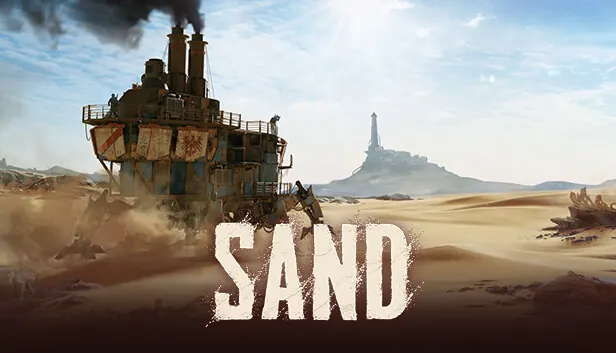
Quick answer: The official minimum target is Windows 10 64-bit, an Intel Core i5-8400 or AMD Ryzen 5 2600, 16 GB RAM, a GTX 1060 6 GB or RX 590 8 GB, DirectX 12, and 60 GB on an SSD. Recommended play moves to an i7-9700 or Ryzen 7 3700X with an RTX 2070 or RX 5700 XT; the official page still lists 16 GB RAM and a 60 GB SSD.
Minimum SAND Raiders of Sophie requirements
These are the official minimum targets to check before installing. Minimum requirements are a floor for supported hardware, not a promise of high settings, a locked frame rate, or smooth performance in every storm and player encounter.
The most important detail is the combination of 16 GB RAM, a dedicated graphics card, DirectX 12, and an SSD. A computer that meets only the CPU line but uses integrated graphics or a crowded hard drive should not be treated as a confirmed match.
| Component | Official minimum | What it means |
|---|---|---|
| Operating system | Windows 10 64-bit | The official support page names Windows 10 64-bit. |
| Processor | Intel Core i5-8400 or AMD Ryzen 5 2600 | Compare the full CPU model, not only the i5 or Ryzen brand. |
| Memory | 16 GB RAM | This is the same memory target shown for recommended play. |
| Graphics | GTX 1060 6 GB or RX 590 8 GB | Dedicated GPU memory matters; integrated graphics are not listed as supported. |
| DirectX | Version 12 | Keep Windows and the graphics driver current before testing. |
| Storage | 60 GB available on an SSD | The SSD note is part of the official requirement, not an optional speed tip. |
Recommended requirements for a steadier PC setup
The recommended row is a better planning target if you want room for a demanding desert scene, background programs, and the unpredictable load of an Early Access build. It does not guarantee a particular FPS number because resolution, graphics settings, drivers, patches, and multiplayer activity all matter.
Notice that the official recommendation raises the CPU and GPU but keeps memory at 16 GB. If your PC has 32 GB RAM but a graphics card below the listed minimum, the extra memory alone does not make the system a confirmed match.
| Component | Official recommended | Practical reading |
|---|---|---|
| Operating system | Windows 10 64-bit | Do not infer separate Windows 11 support from this table alone. |
| Processor | Intel Core i7-9700 or AMD Ryzen 7 3700X | A stronger CPU leaves more headroom for simulation and background tasks. |
| Memory | 16 GB RAM | Close background apps if your system has little free memory. |
| Graphics | RTX 2070 or RX 5700 XT | This is the clearest upgrade line for higher visual settings. |
| DirectX | Version 12 | Use the latest stable driver that supports your GPU. |
| Storage | 60 GB available on an SSD | Leave extra free space for patches and temporary files. |

How to read the specs before you buy
A requirements list is useful only when you compare like with like. Search your PC for the exact CPU and GPU model, check the dedicated VRAM amount, confirm that the game will live on an SSD, and then compare the weakest major component with the table. The slowest match is usually the part that limits your first test.
The following guide is deliberately conservative. It helps you decide whether to try the game; it is not an FPS calculator and it cannot replace an official patch note or a current driver test.
CPU: match the model
Do not compare only i5 with i7 or Ryzen 5 with Ryzen 7. Generation, core count, clock behavior, laptop power limits, and cooling change real performance. Use the full model name from Windows Task Manager or your system information panel.
GPU: check VRAM too
The minimum table names a GTX 1060 with 6 GB and an RX 590 with 8 GB. A newer-looking card with less VRAM is not automatically better for this game. Check both the GPU model and dedicated memory, then start with modest settings if you are near the minimum.
RAM and SSD: avoid false positives
Sixteen gigabytes of RAM is required in both rows, while an SSD is explicitly required. Close launchers and browsers during the first test, keep at least the listed free space, and avoid judging performance while the drive is nearly full or constantly swapping data.
A practical pre-launch checklist
If your computer sits between the minimum and recommended rows, start with a low-risk test: update the GPU driver, close unnecessary background apps, install on an SSD, and use conservative resolution and effects. Change one setting at a time so you can tell what helped.
Do not use this page to infer console requirements. The PS5 and Xbox pages have separate platform evidence, and a PC that passes the table can still have a network or server problem. For connection issues, use the server-status guide rather than lowering graphics settings.
- Find the exact CPU and GPU model in Windows, not just the laptop or desktop brand.
- Confirm 16 GB RAM and check how much memory remains free when the game starts.
- Confirm at least 60 GB free on an SSD and leave room for Early Access updates.
- Update Windows, DirectX components, and the graphics driver from the normal official channel.
- If the game stutters, test resolution, texture, shadows, and background applications separately.
- If the game cannot connect, check server status and platform services before changing hardware.
SAND Raiders of Sophie system requirements FAQ
How much RAM does SAND Raiders of Sophie need?
The official minimum and recommended rows both list 16 GB of RAM. More memory may help with background applications, but it does not compensate for a GPU below the listed minimum.
Does SAND Raiders of Sophie require an SSD?
Yes. The official support page lists an SSD requirement and 60 GB of available storage. Treat the SSD note as a requirement, not merely an optional loading-time improvement.
Can I run SAND Raiders of Sophie on a laptop?
Possibly, if the laptop has a dedicated GPU and exact CPU/GPU capability comparable to the official table. Laptop model names are not enough; check the full processor, graphics adapter, VRAM, RAM, cooling, and available SSD space.
Are Windows 11 or Steam Deck officially confirmed here?
This page does not turn the Windows 10 64-bit listing into a Windows 11 or Steam Deck guarantee. Check the current official Steam and developer support information for platform-specific confirmation before relying on an unlisted setup.
Does meeting the recommended specs guarantee a fixed FPS?
No. The list is a hardware target, not a frame-rate promise. Resolution, graphics settings, drivers, patches, thermal limits, and multiplayer scenes can change performance.
Do these PC requirements apply to PS5 or Xbox?
No. Console availability and platform requirements should be checked on the separate PS5 and Xbox guides and official store pages. Do not use a PC GPU table to make a console claim.
Where should I check if the game will not connect?
Use the SAND Raiders of Sophie server-status guide for official outage checks, Steam signals, and local connection troubleshooting. A connection failure is not automatically a hardware failure.
Official sources
Requirements can change during Early Access. Recheck the official pages before a major upgrade or purchase.